
📌 Overview
When working with digital images, gamma correction is a non-linear operation used to control how brightness levels are mapped between input and output.
Its relevance derives from the fact that human vision is non-linear:
-
We’re extremely sensitive to differences in dark regions
-
We’re much less sensitive to changes in bright regions
Why gamma correction is non-linear
If brightness were mapped linearly:
-
Midtones would look too dark
-
Much of the bit depth would be wasted on bright values our eyes barely distinguish
With gamma encoding:
-
More precision is spent in darker regions where we’re sensitive
-
The distribution of pixel values better matches what we perceive
When you adjust gamma manually:
-
Lowering gamma (<1) lightens shadows because our eyes are more sensitive there
-
Raising gamma (>1) darkens shadows without making highlights look “crushed”
This is why gamma is a standard way to brighten/darken digitally—it aligns with human vision rather than simple linear scaling.
ℹ️ Understanding gamma correction
Gamma correction typically uses a function of the form:
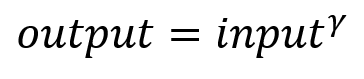
Where:
-
input is a normalized pixel value (0.0 → 1.0)
-
γ ("gamma") controls how brightness is redistributed
Gamma correction works because the human eye perceives brightness non-linearly, and many digital images are stored in a gamma-encoded space to look visually correct.
What Gamma Does Visually
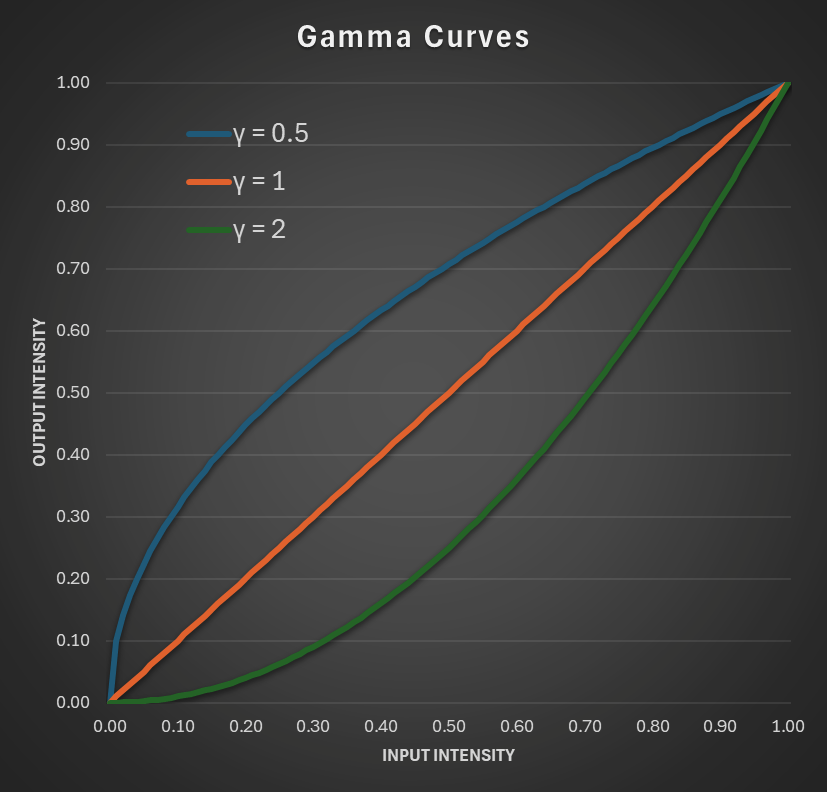
Gamma > 1 → Darkens the image
Example: γ = 2
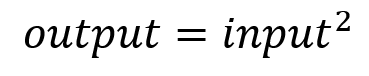
Dark areas get much darker; bright areas change less.
Gamma < 1 → Lightens the image
Example: γ = 0.5
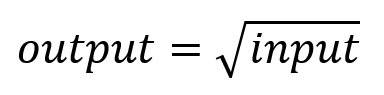
Gamma = 1 → No change
For γ = 1:

Gamma = 1 is the identity transform.
Visual Effect
|
γ > 1 |
Non-linear darkening |
Deepens shadows |
|
0 < γ < 1 |
Non-linear lightening |
Lifts shadows |
|
γ = 1 |
Identity transform |
No change |
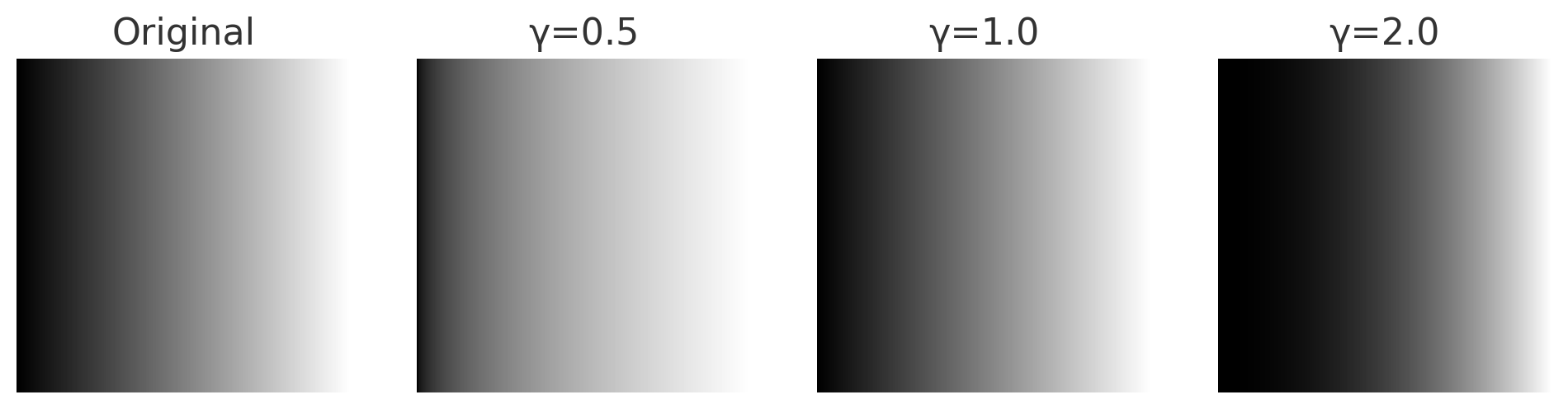
Chart
The full range of values can be seen on this chart.
📚 Additional Resources
-
A worked example using Apex' tone curves feature can be found here.