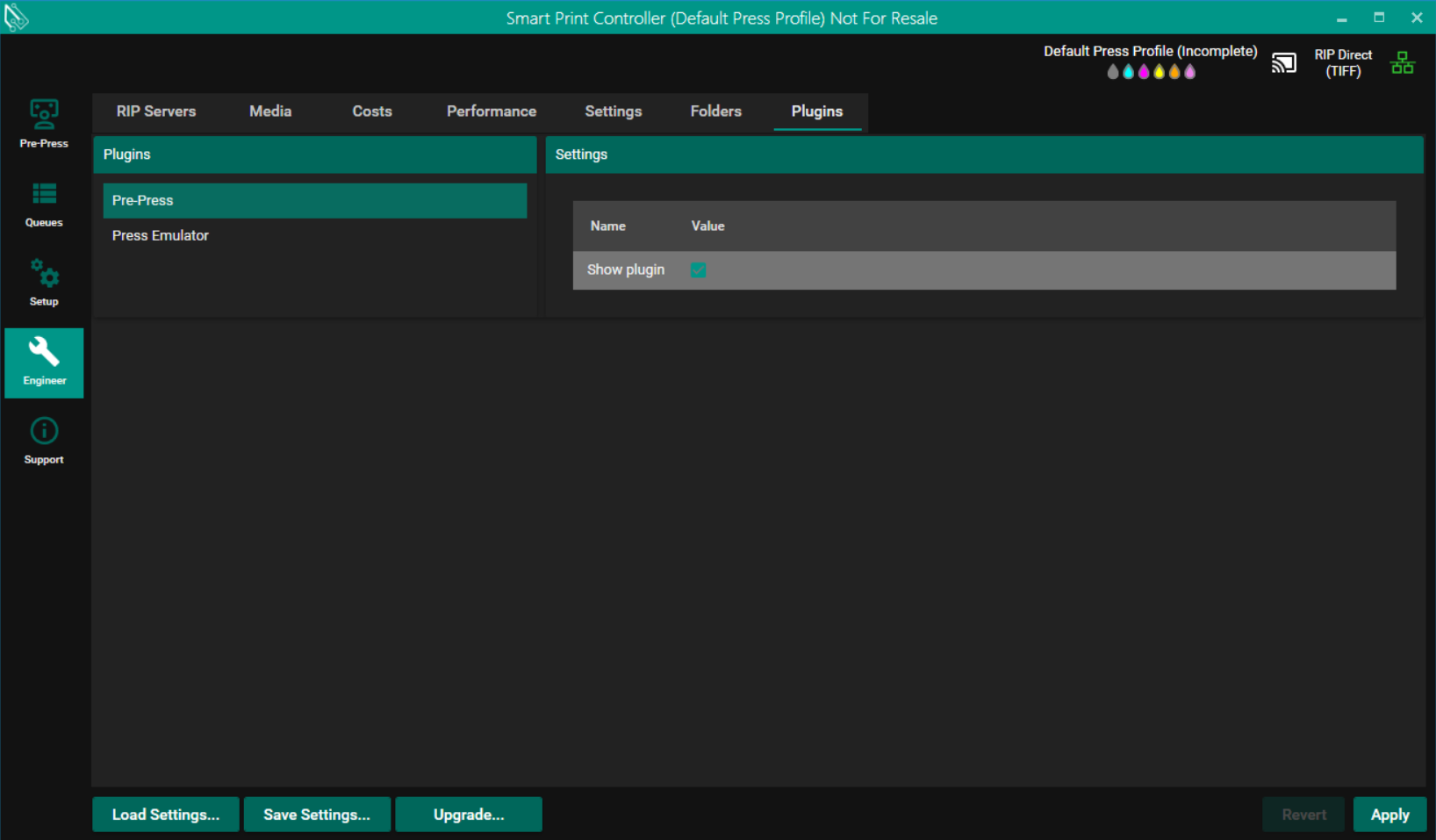
To open a job in Label Studio the Pre-Press plugin must be enabled.
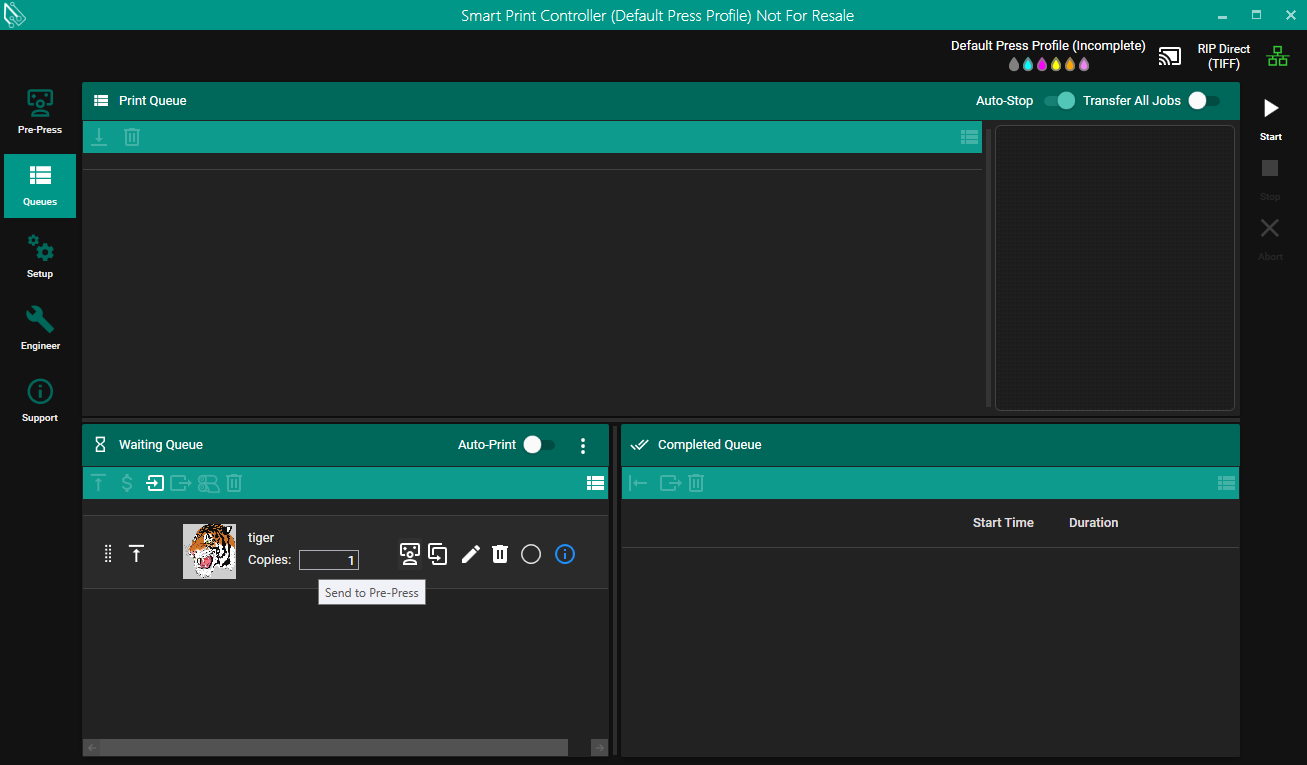
With the Pre-Press plugin enabled jobs in the waiting queue will have a new Send to Pre-Press button which will remove the job from the waiting queue and add it to the Pre-Press folder.
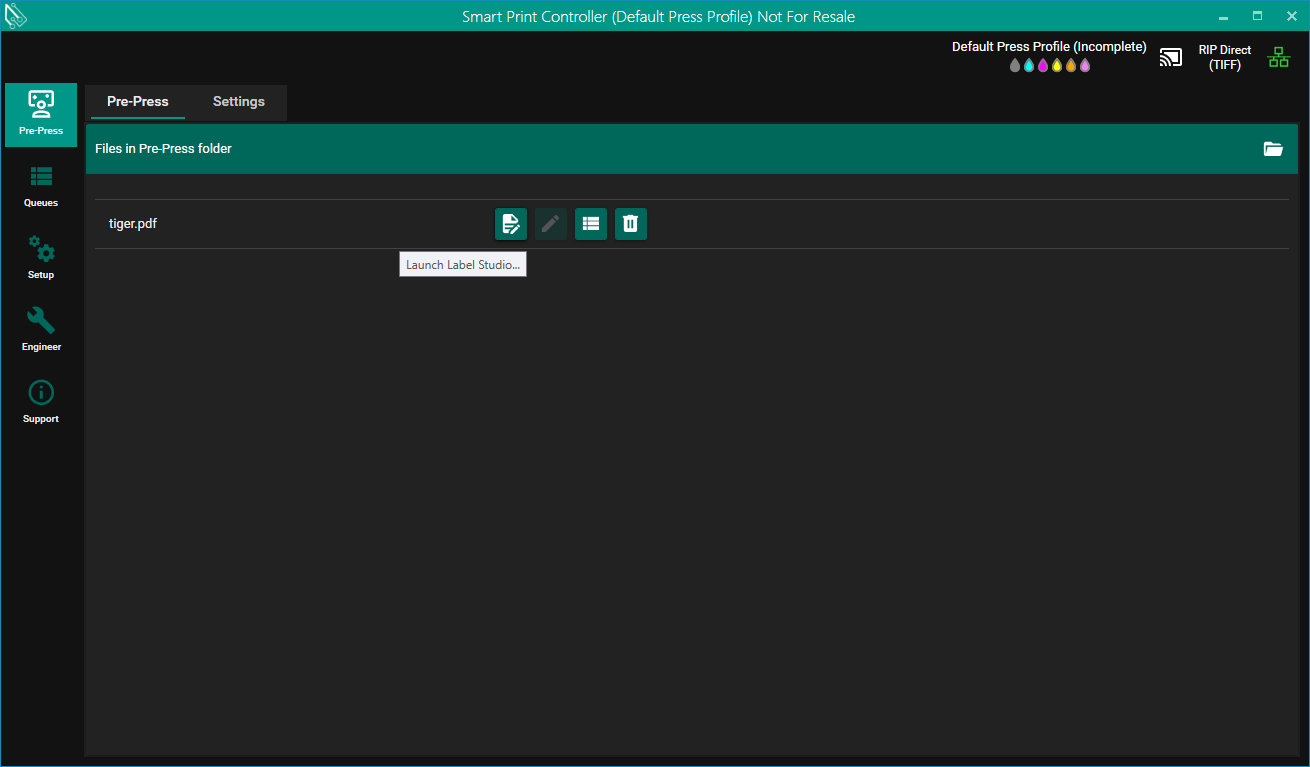
In the Pre-Press pane there is a view of files in the Pre-Press folder with each having a button for opening it in Label Studio.
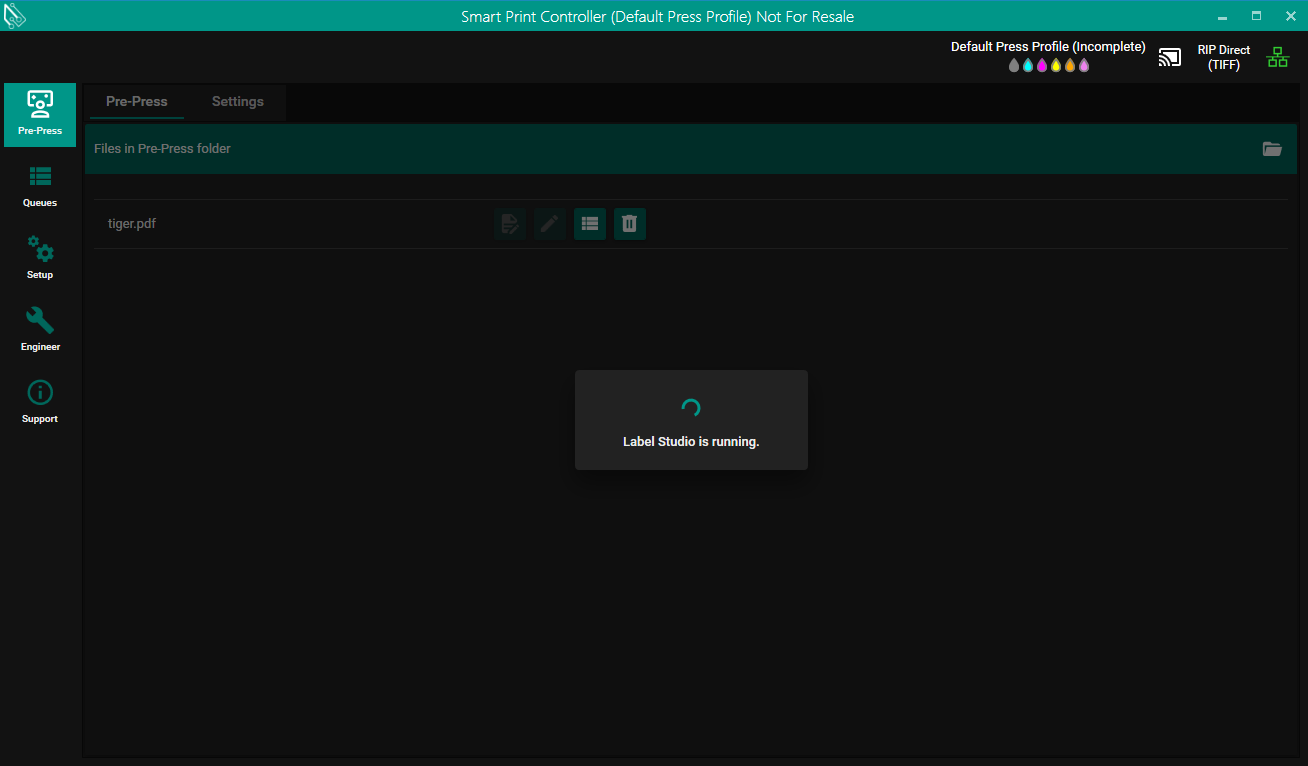
Only one job can be open in Label Studio at a time, a busy dialog will appear over the Pre-Press pane while a job is open in Label Studio.