
This page applies to Harlequin v13.1r0 and later; and to Harlequin MultiRIP but not Harlequin Core
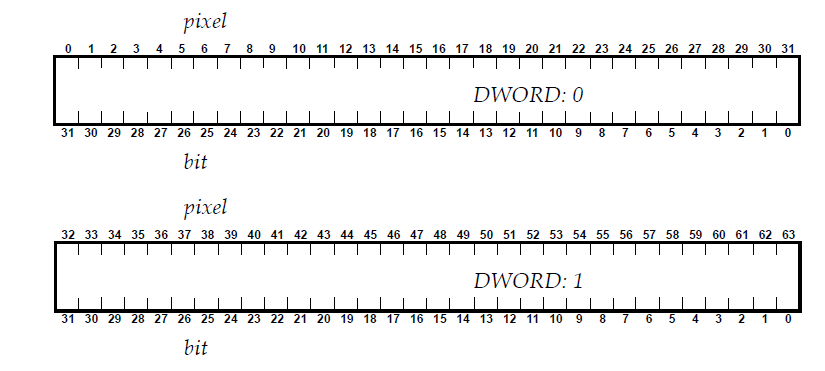
In a 32‐bit RIP each 32‐bit machine‐word (DWORD) in the raster has 32 bits of data, arranged with the left‐most raster bit/pixel at the most significant end of the DWORD (bit 31) and the right‐most raster bit/pixel at the least significant bit of the DWORD (bit 0), like this:
NOTE: 32-bit RIPs are no longer supported
In a 64‐bit RIP the halftone data is packed in 64‐bit chunks instead of 32. You can see what the raster packing unit is in the Page buffer header labelled as /PackingUnit . It is also available in the structure pageHeader for plugin interface version 18.9 or later.
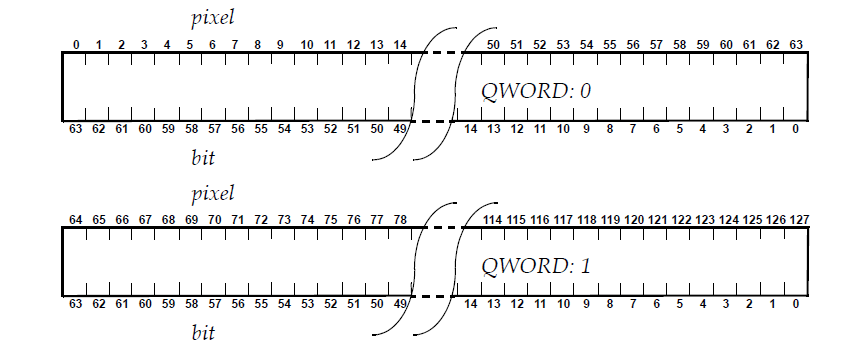
In a 64‐bit RIP each 64‐bit machine‐word (QWORD) in the raster has 64 bits of data, arranged with the left‐most raster bit/pixel at the most significant end of the QWORD (bit 63) and the right‐most raster bit/pixel at the least significant bit of the QWORD (bit 0), like this:
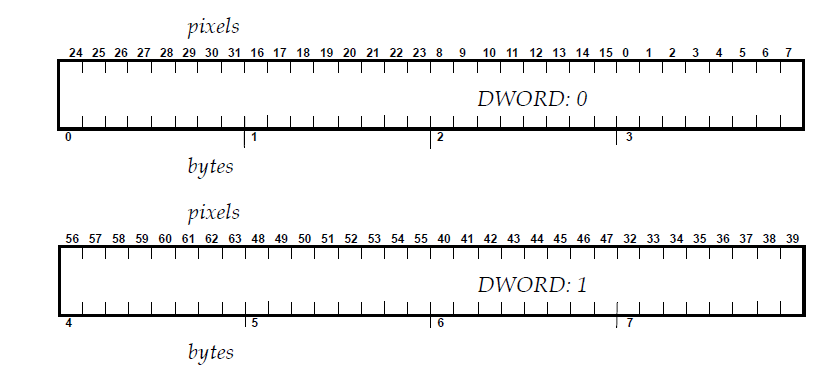
If a plugin treats the data as a row of bytes (instead of DWORDS or QWORDS) a form of “byte reversal” may be made to correct for the way intel machines store DWORDS in little‐endian form. That is, the memory in byte order for the first two DWORDS on a 32‐bit RIP, will look like this:
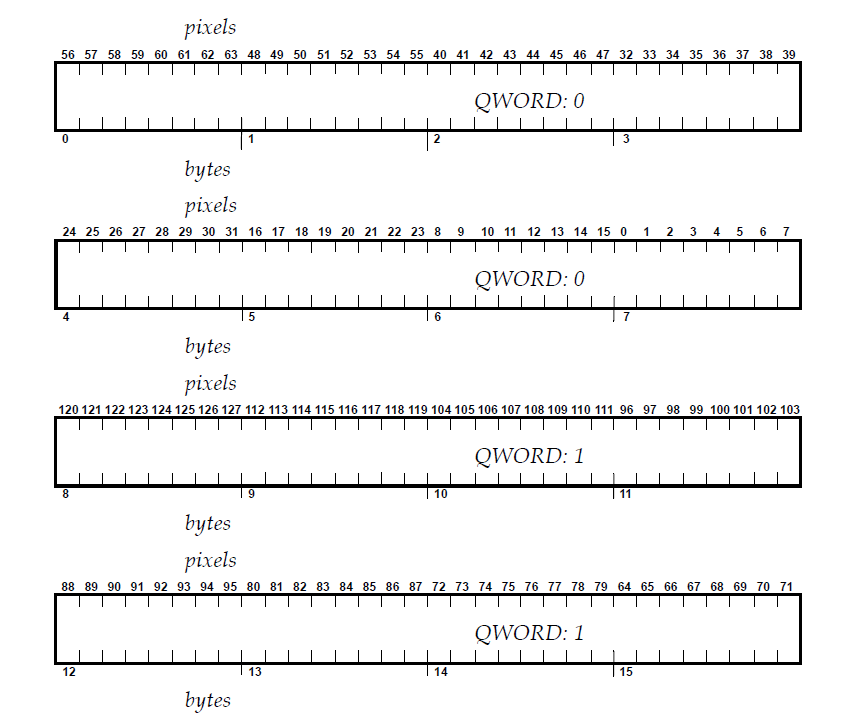
In a 64‐bit RIP, the byte order for the first two QWORDS looks like this:
So, if your existing plugin is byte‐reversing each group of four bytes in a 32‐bit RIP, it may need to byte reverse each group of eight in a 64‐bit RIP.