

Overview
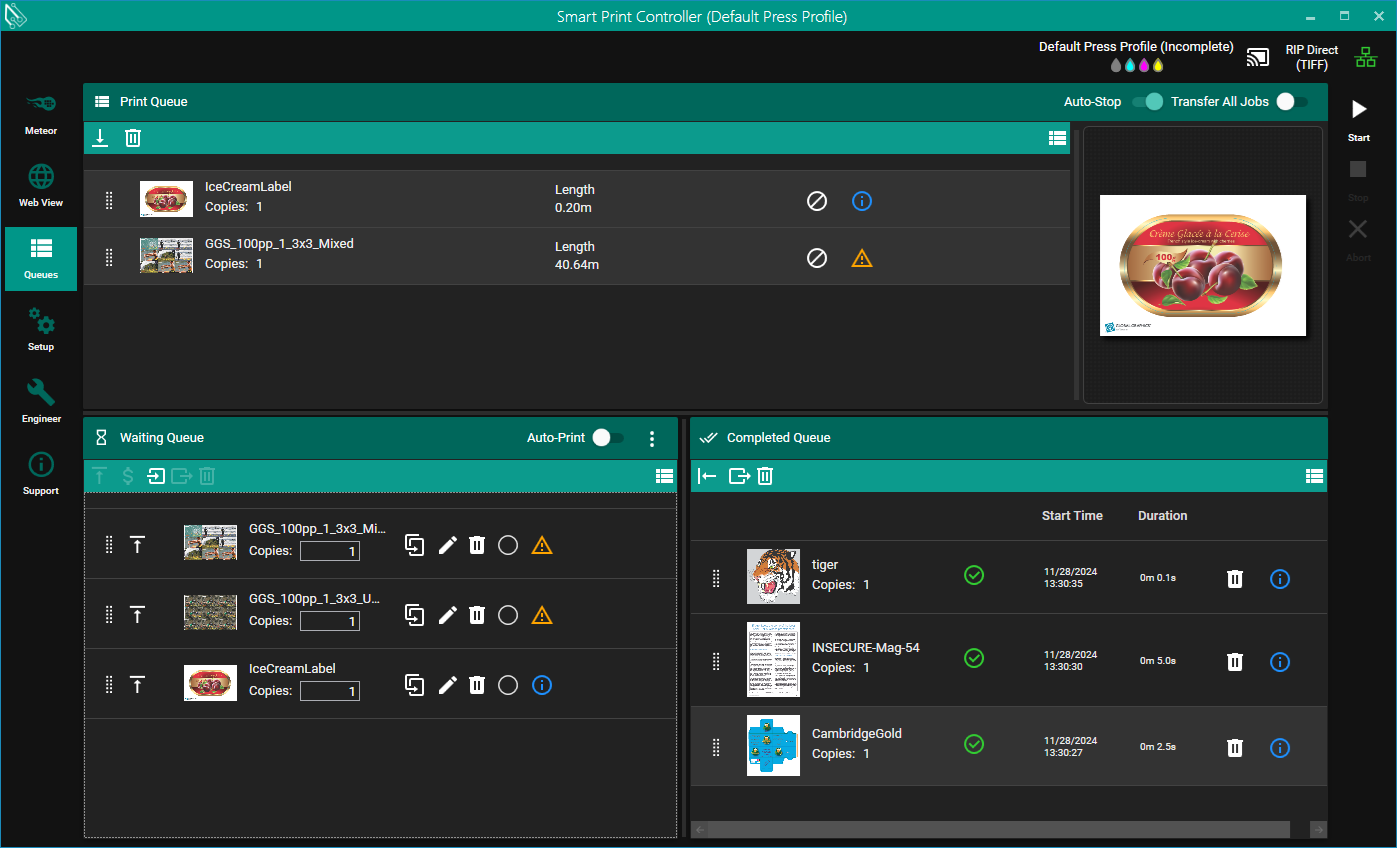
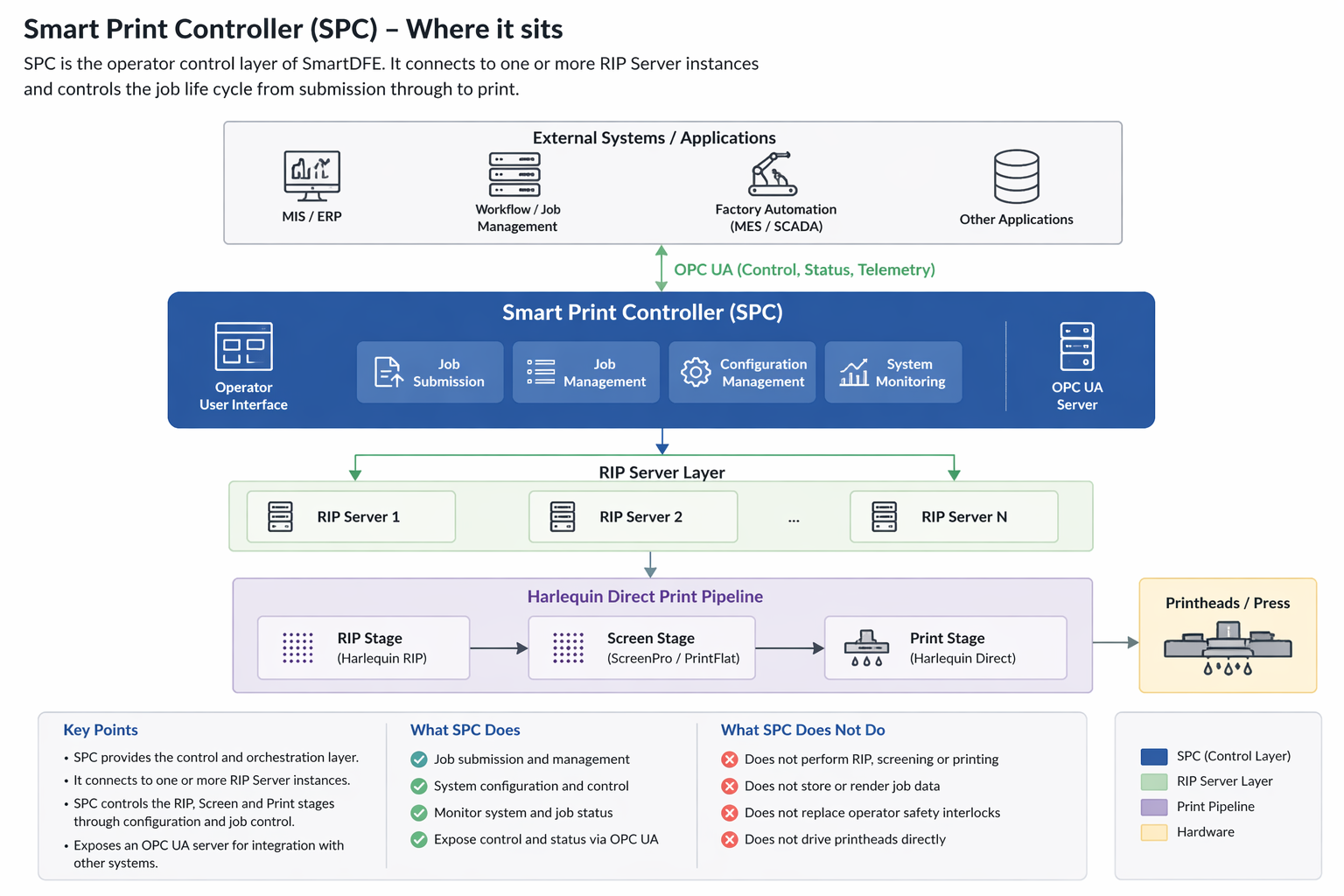
Smart Print Controller (SPC) is the operator-facing control layer of the SmartDFE system.
It provides both:
-
A user interface for manual press operation
-
A programmatic control interface (via OPC UA) for integration with external systems
Where SPC sits in the system
Core responsibilities
SPC is responsible for:
-
Job submission
-
Accepts and forwards jobs to one or more RIP Server instances
-
-
Job control
-
Start, stop, pause, and manage job execution
-
-
System coordination
-
Manages interaction between operator actions and RIP processing
-
-
Configuration management
-
Applies configuration files that control RIP, screening, and print behaviour
-
-
State exposure
-
Provides system and job status to external systems via OPC UA
-
Interaction with RIP Server and Harlequin Direct
SPC does not perform rendering or print processing itself.
Instead, it:
-
Sends jobs to RIP Server instances
-
Controls execution of:
-
RIP stage
-
Screening stage
-
Print stage (via Harlequin Direct)
-
SPC acts as the orchestrator, while the RIP Server and Harlequin Direct perform the actual data processing and output.
Configuration model
SPC uses a set of configuration files to control:
-
RIP behaviour
-
Screening parameters
-
Print pipeline settings
These configurations:
-
Are typically defined or supplied by the OEM
-
May be selected or modified at runtime via SPC
-
Directly influence how jobs are processed and output
OPC UA interface (integration point)
SPC exposes an OPC UA server, which is the primary interface for:
-
Integration with MIS / ERP systems
-
Automation systems and production lines
-
Remote control and monitoring
Through OPC UA, external systems can:
-
Submit and manage jobs
-
Query system and job state
-
Control press operation programmatically